Searching and downloading on Direct Connect
Once you are on a hub you can search for files, browse what others share, and download straight from them.
Searching
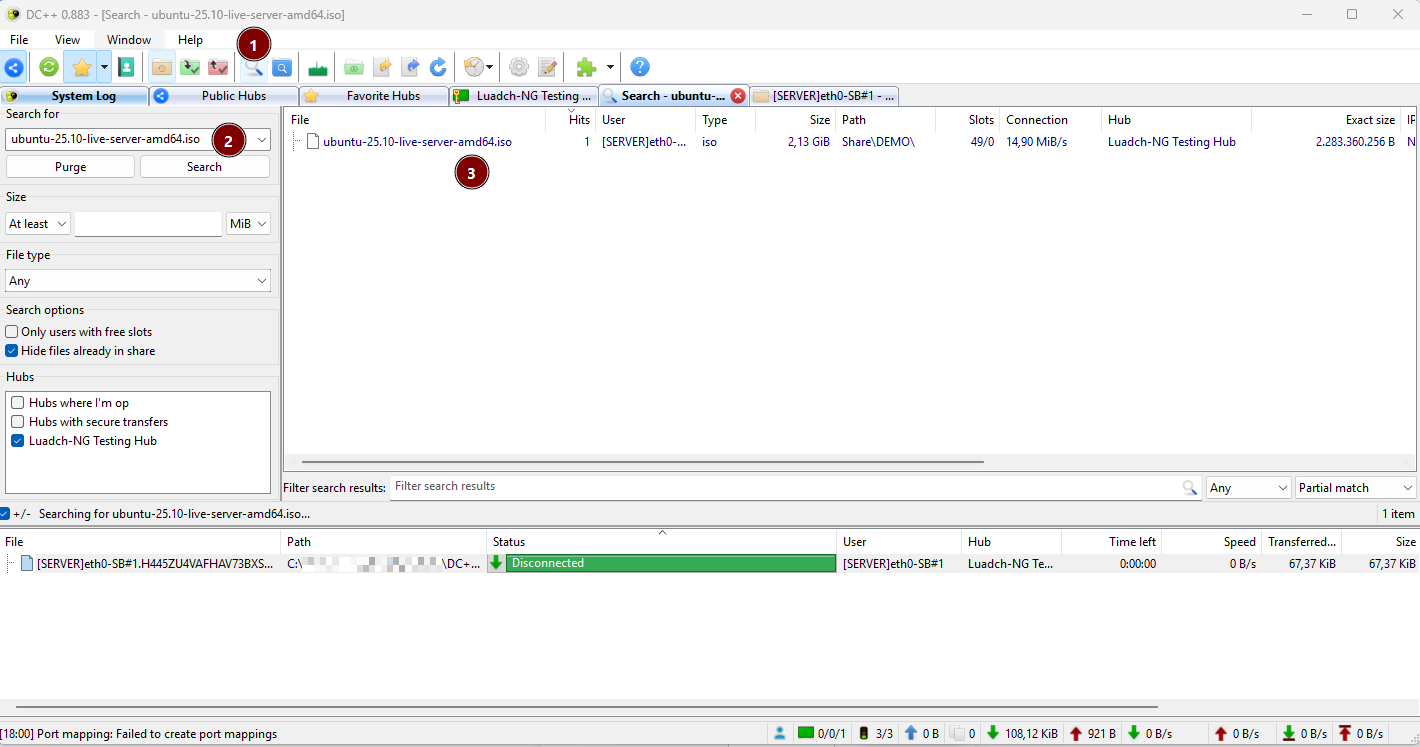
- Click the search icon in the toolbar to open a search tab.
- Type what you are looking for. Use the filters (size, file type, hubs) to narrow the results.
- Matches appear here. As long as the search tab stays open, results keep coming in.
Browsing a file list
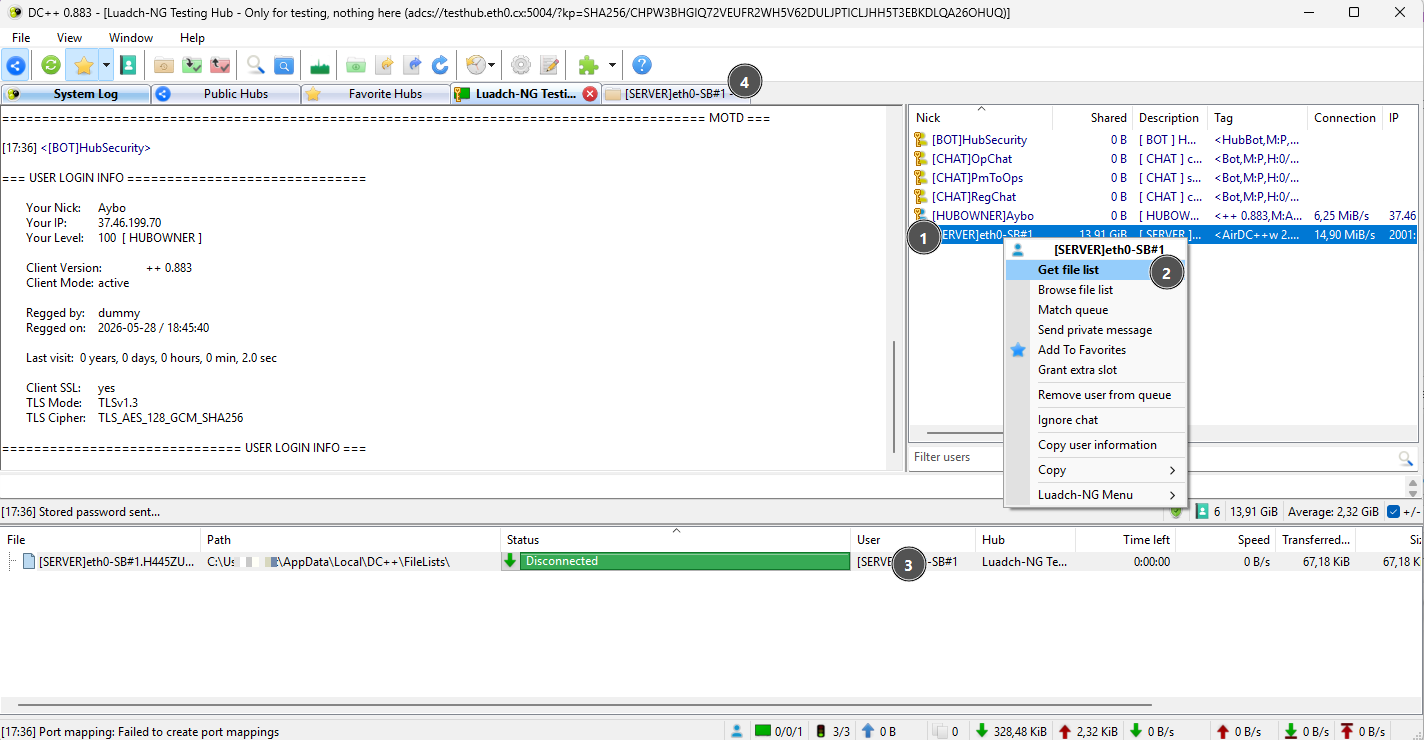
- Select a user and right-click to open the context menu.
- Choose "Get file list" to see what they share.
- A new window opens with their files, which you can browse.
Downloading
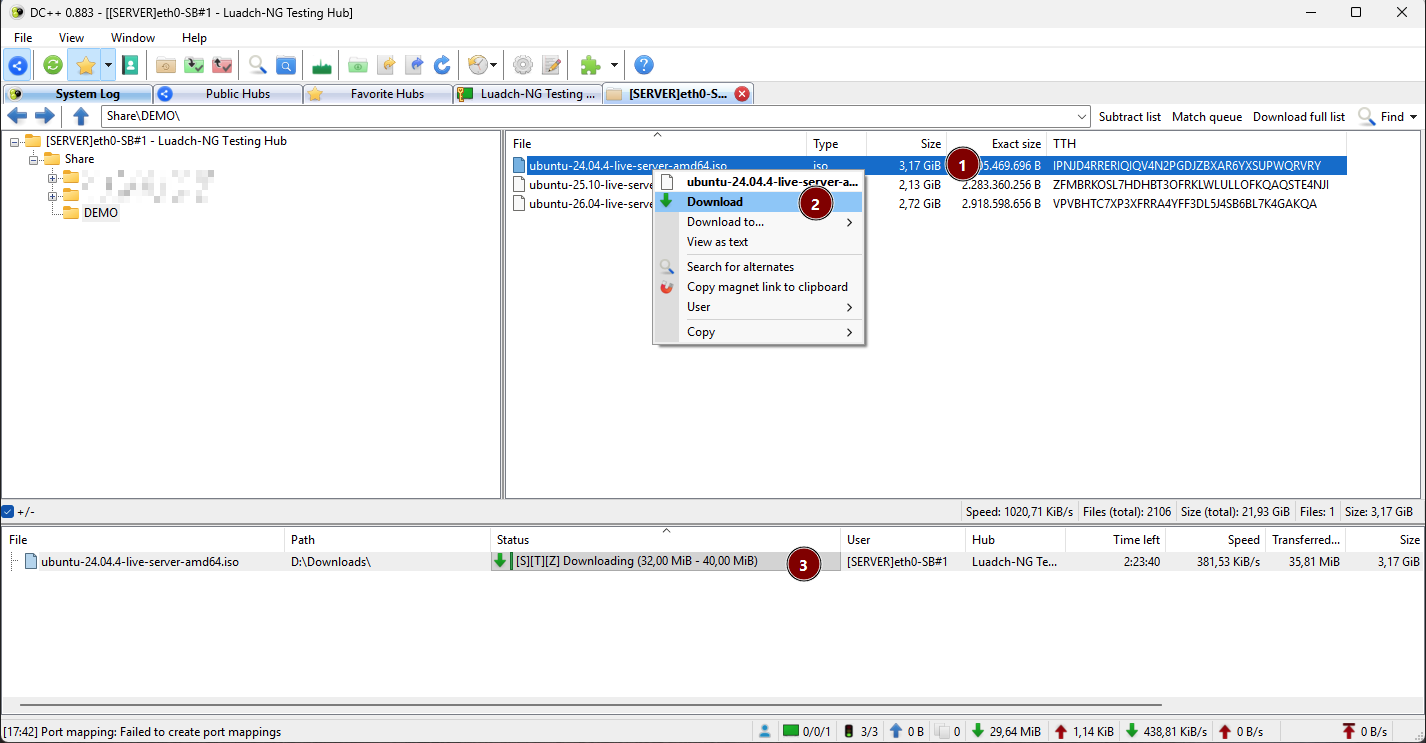
- Browse the share to find the file or folder you want.
- Right-click the folder and choose "Download" to start.
- The transfer window shows the progress of your downloads.
Downloads come straight from the other user, not the hub. If transfers stall, check active vs. passive mode.