Install and set up a Direct Connect client
Once you have chosen a client, it is time to set it up. The GUI clients (DC++ and AirDC++) are laid out almost identically, so this DC++ walkthrough transfers well. The AirDC++ web UI is set up differently.
DC++ on Windows
Download DC++ from the official website and install it. On first launch it opens the settings, so you can set the important options right away.
Personal information
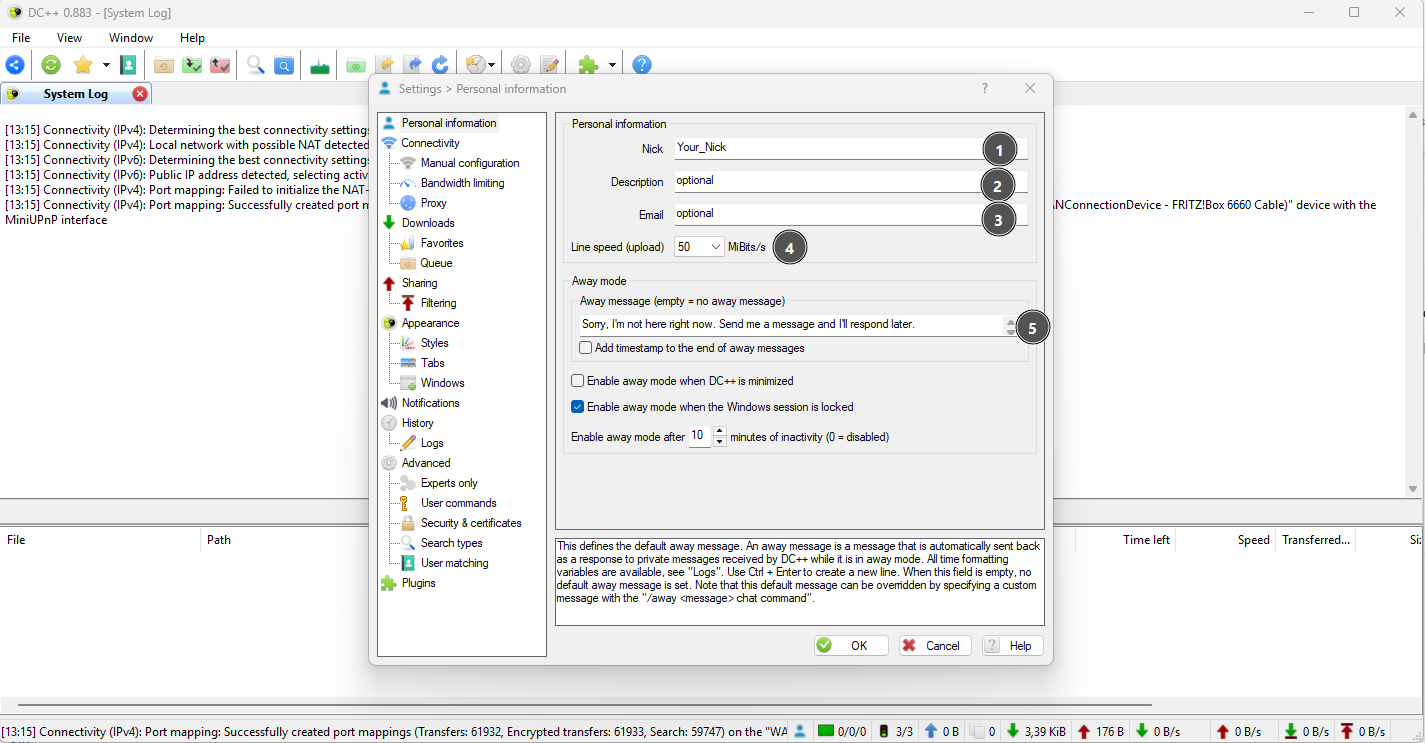
- Enter your nickname. It is used globally across hubs, but you can set a per-hub nick later.
- The description is optional.
- The email is optional.
- Enter your upload speed (test it at Speedtest.net).
- Set an away message that is sent to people who message you while you are away.
Connection
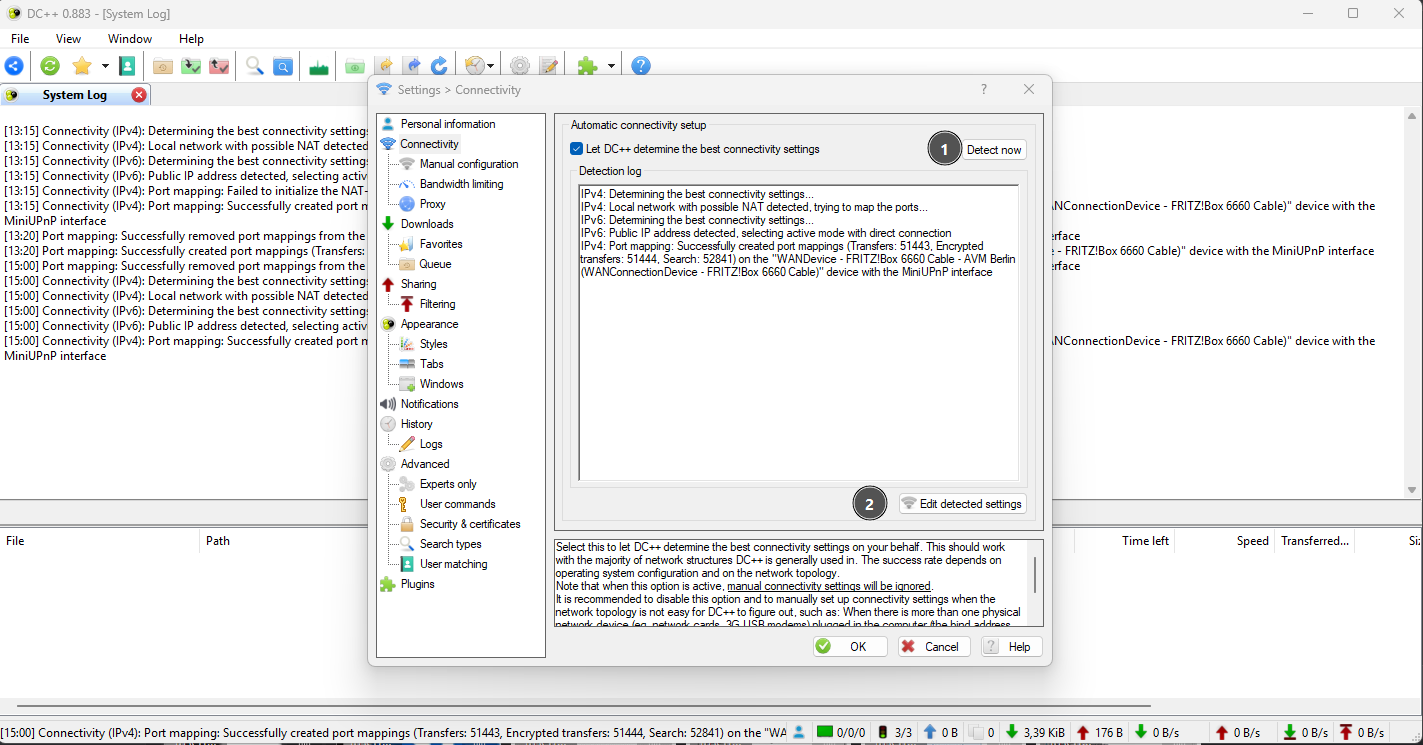
- You can let DC++ configure the network automatically. This only works if UPnP is enabled on your router.
- If it cannot set up active mode on its own, configure the connection manually.
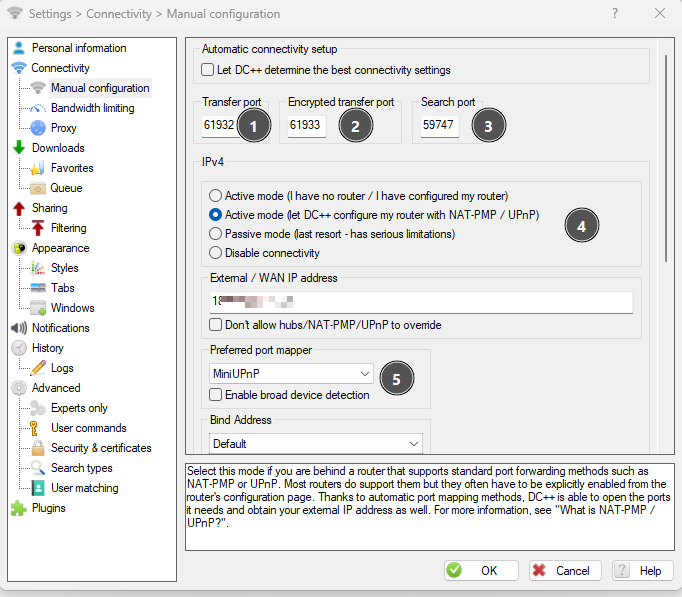
- TCP port for incoming connections from other peers.
- TCP port for incoming TLS (encrypted) connections. Use a different value than the transfer port.
- UDP port for incoming search results.
- If you forwarded the ports yourself, pick the first option. If UPnP is enabled, pick the second. Without port forwarding you are stuck in passive mode, which is limited.
- Choose MiniUPnP, since UPnP is built into most home routers.
Set up active mode
Port forwarding or UPnP is not rocket science. Search for your router model + port forwarding or router model + UPnP, there are plenty of guides and videos. See Active vs. passive mode for why it matters.
Downloads
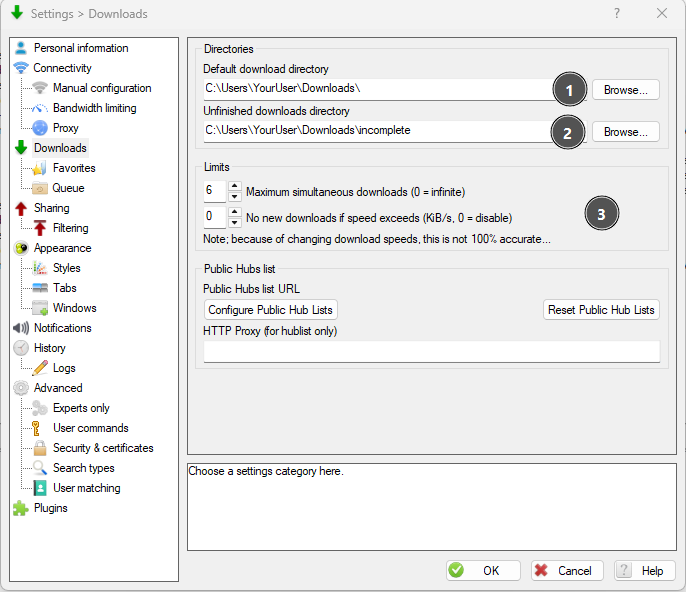
- Pick a download folder.
- Pick a folder for incomplete downloads.
- Choose a sensible limit on simultaneous downloads. Values between 4 and 10 work well.
Optional, under Advanced
- Register DC++ to handle
adc://,adcs://,dchub://, andnmdcs://links. - Under Security & Certificates, enable "Always attempt to establish a direct encrypted private message channel". This only works with TLS hubs (ADCS and NMDCS).
Next, set up what you share. See Sharing files.
AirDC++ web UI with Docker
Coming soon.