Active vs. passive mode in Direct Connect
Your connection mode decides how well search and downloads work. There are two modes, active and passive.
Active mode
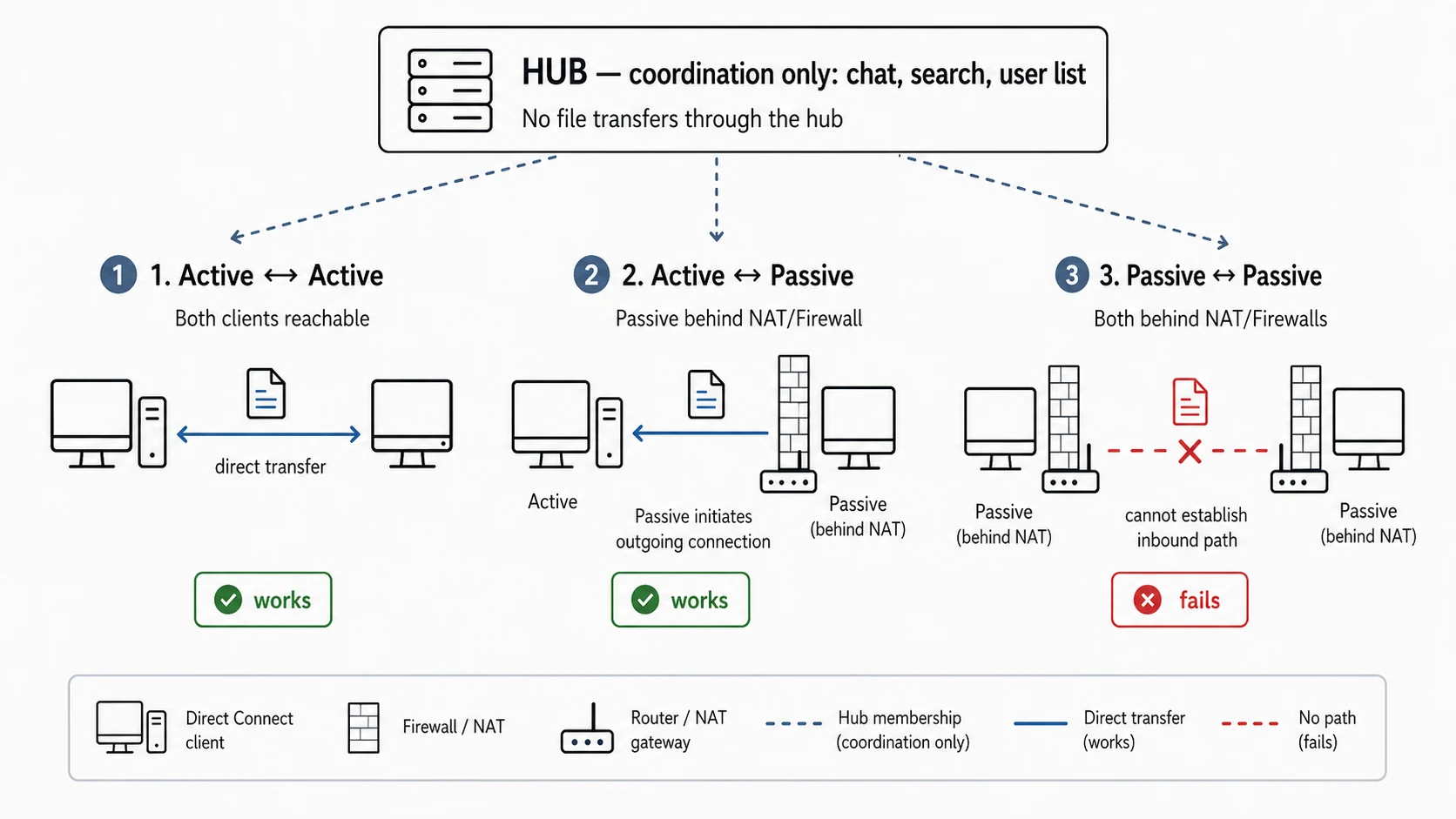
Active means other clients can reach you directly. Search and transfers just work, and you can connect to both active and passive users.
Passive mode
Passive means you are behind NAT or a firewall with no port forwarding, so nothing from outside can reach you. Two passive users often cannot connect to each other at all, and your search results get routed through the hub instead. If downloads feel half broken, this is usually why.
How a passive download still works
When an active and a passive user want to trade, the hub helps them meet.
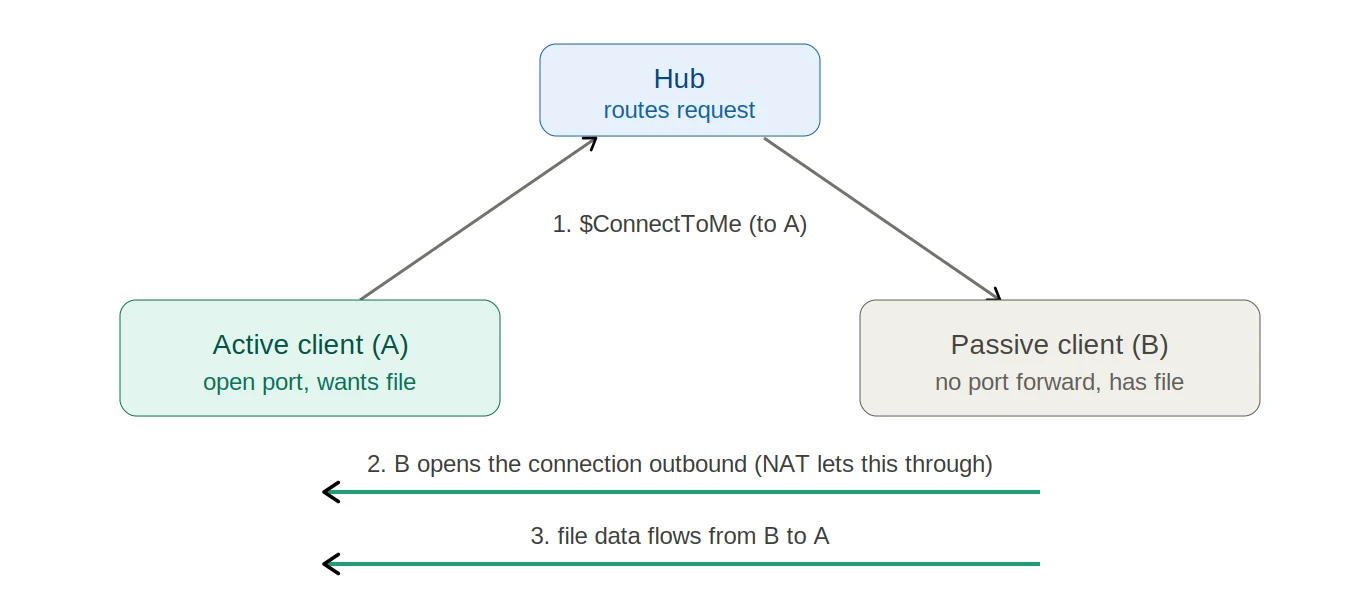
The hub routes the connection request, the passive client opens the connection outbound (which its firewall allows), and the file data then flows back to the active side.
To get the most out of the network, use active mode. That means opening the right ports on your router or firewall. Setting up port forwarding or UPnP is not hard: search for your router model + port forwarding or router model + UPnP, there are plenty of guides.