How the Direct Connect network works
Direct Connect has two parts: hubs that bring people together, and clients that connect peers directly for transfers. Here is how they fit together.
The one thing that trips up almost every newcomer: the hub is not where files live. A hub is a meeting point. You connect to it, you see who is online, you chat, and you search. When you download something, your client talks straight to the other person's client. The hub never touches the file.
What the hub does
- Logs you in and handles your nick on that hub
- Runs the main chat and private messages
- Keeps the user list
- Routes your searches out to everyone
- Sets up the client-to-client connections
- Enforces the rules (rights, classes, operators, bans)
On ADC it also negotiates features between clients. See the ADC protocol for details.
How a download works
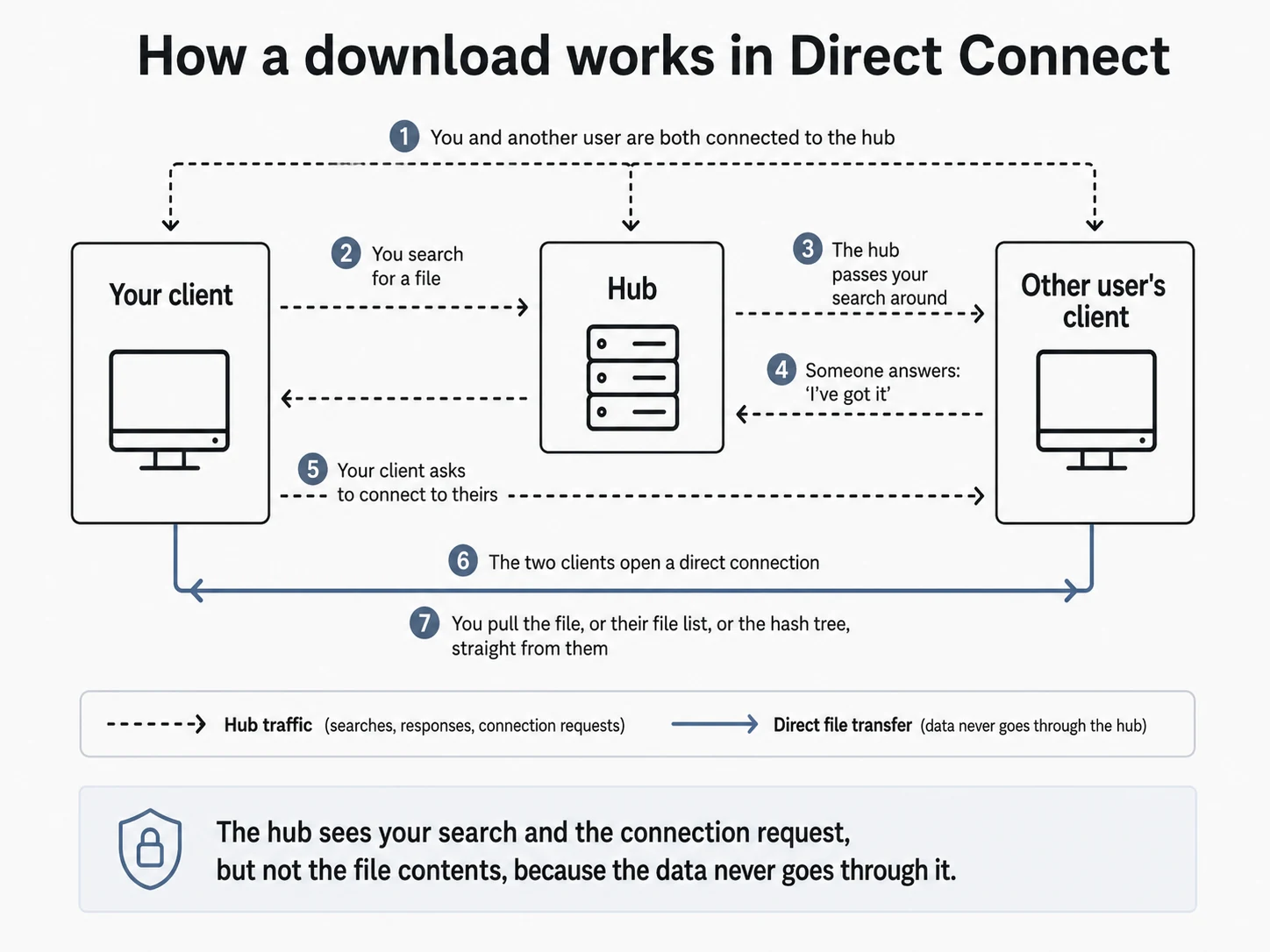
You and another user are both connected to the hub. You search for a file, the hub passes your request around, and someone answers. The two clients then open a direct connection, and the file, file list, or hash check flows straight between you. Only the search, the responses, and the connection request go through the hub. The transfer itself never does.
File lists
Your client does not offer loose files on the fly. It builds a file list of everything you share, with folder structure, names, sizes, and hashes (usually TTH). Other people download that list, browse it, and grab whatever they want, again straight from your machine.
Hashes identify a file by its content, not its name. See TTH and hashing for why that matters.
In short
The hub is the lobby. Your files stay on your own machine. Downloads go directly between clients, and hashes tie it together so the network can find the same file in more than one place. Get active mode working and most of the friction goes away.